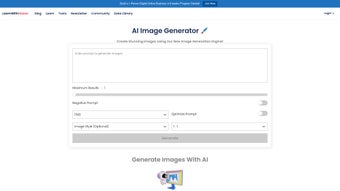

Download FreeImage – Free AI‑Powered Design Tool for Web
Overview
FreeImage is a cloud‑based, AI‑driven design platform that brings sophisticated image‑editing capabilities directly to any modern web browser. Launched in mid‑2024, the service positions itself in the “AI Design” niche, offering tools such as AI upscaling, automatic background removal, smart colour‑palette generation, style‑transfer filters and batch processing—all without the need for a local installation or heavyweight desktop software. Because it runs entirely in the browser, the application is instantly accessible from Windows 10/11, macOS Catalina or newer, Linux distributions, and even mobile browsers on Android and iOS.
Users benefit from a generous free tier that includes unlimited projects, encrypted temporary storage for up to 30 days, and a straightforward account system that supports email sign‑up as well as Google and Apple single‑sign‑on. Early adopters praise the intuitive UI, the speed of server‑side AI inference, and the fact that the platform works on legacy browsers like Internet Explorer 11, although a modern browser delivers the smoothest experience. Whether you’re a freelance graphic designer needing rapid mock‑ups, a marketer creating social‑media assets on the fly, or a hobbyist exploring AI‑assisted art, FreeImage aims to deliver a secure, cross‑platform solution that eliminates the traditional barriers of software licensing, hardware requirements, and tedious installation processes.
The service also adheres to industry‑standard security practices, employing SSL/TLS encryption for data in transit and AES‑256 encryption for temporary file storage, ensuring that your creative work remains private while it resides on the cloud.
Core Features & Benefits
- AI Image Upscaling (up to 8×): Deep‑learning algorithms increase resolution while preserving fine details, ideal for printing large formats or enhancing low‑resolution assets.
- One‑Click Background Removal: Automatically isolates subjects from complex backgrounds, saving hours of manual masking.
- Smart Colour‑Palette Generator: Extracts harmonious colour schemes from any image, helping maintain brand consistency across campaigns.
- Style Transfer & Real‑Time Filters: Apply famous artistic styles or modern visual effects instantly, with a live preview that updates as you adjust intensity.
- Batch Processing: Upload multiple files and let the AI handle resizing, watermarking, optimisation and format conversion in a single queue.
- Secure Cloud Storage: Edited files are stored encrypted for up to 30 days, with optional permanent download links or extended storage via paid plans.
- Cross‑Browser Compatibility: Works on Internet Explorer 11+, Firefox, Chrome, Safari and Opera, eliminating OS‑specific restrictions.
- Unlimited Free Projects: The free tier provides access to all core tools without hidden fees, while premium add‑ons unlock advanced capabilities for power users.
Beyond the raw feature set, FreeImage delivers several strategic benefits that make it a compelling alternative to traditional desktop suites. First, the cloud‑centric architecture means that users can work from any device with an internet connection, effectively turning every browser into a powerful design workstation. Second, because the heavy AI processing occurs on dedicated servers, local hardware requirements are minimal; even older laptops can generate high‑quality outputs without lag.
Third, the platform’s subscription‑free core tools democratise access to AI‑enhanced design, allowing small businesses and independent creators to compete with larger agencies that rely on costly licences. Finally, the continuous rollout of new AI models ensures that FreeImage stays on the cutting edge of image‑generation technology, providing regular updates that improve speed, accuracy and the range of creative effects available to users. These combined advantages translate into faster project turnaround, lower total cost of ownership, and a more flexible workflow that adapts to the increasingly mobile and distributed nature of modern creative teams.
Installation, Compatibility & Usage Guide
FreeImage runs on any operating system that supports a modern web browser, including Windows 10/11, macOS Catalina or later, major Linux distributions, as well as Android and iOS devices. No additional plugins, extensions or client‑side installations are required.
Step‑by‑Step Onboarding
- Visit the Official Site: Open your preferred browser (Chrome, Firefox, Safari, Edge or Opera) and go to freeimage.ai.
- Create an Account: Click “Sign Up,” provide a valid email address, and set a strong password. You can also use Google or Apple single‑sign‑on for instant access.
- Verify Your Email: A verification link will be sent to your inbox; clicking it confirms your identity and activates your free tier.
- Upload Your First Image: Drag‑and‑drop files onto the dashboard or use the “Upload” button. Supported formats include JPEG, PNG, SVG, WebP and TIFF.
- Select a Tool: Choose from Upscale, Background Removal, Colour Palette, Style Transfer or Batch Processing. Each module displays a real‑time preview so you can see changes instantly.
- Fine‑Tune Settings: Adjust sliders for upscale factor, filter intensity, colour tolerance or watermark opacity. Numeric input boxes allow precise control for professional workflows.
- Process & Download: Press “Apply.” The cloud AI processes the request in seconds to minutes depending on file size and network speed. Once complete, download the result directly or copy a secure shareable link.
- Save & Revisit Projects: FreeImage automatically saves your workflow in the cloud, enabling you to return later for further edits, export in different resolutions, or generate new variations without re‑uploading.
The entire process is designed for frictionless use, meaning even users with minimal technical experience can produce publication‑ready visuals within minutes. Because all computation occurs on remote servers, the only client‑side requirement is a stable internet connection and a browser that supports HTML5 canvas and WebGL. For teams, the platform also offers collaborative links that allow multiple stakeholders to review and comment on drafts without exposing the original source files. In addition to the free tier, premium subscriptions provide extended storage (up to 90 days), higher‑resolution exports, API access for automation, and priority processing on the server farm. Overall, FreeImage’s installation‑free model, broad OS compatibility, and clear step‑by‑step workflow make it an accessible yet powerful option for anyone seeking AI‑enhanced design capabilities without the overhead of traditional software installations.
Pros, Cons, Frequently Asked Questions & Conclusion
Pros
- Entirely cloud‑based – no local downloads or heavy hardware needed.
- AI tools rival many premium desktop applications in quality.
- Works across all major browsers and operating systems.
- Generous free tier with unlimited projects and core features.
- Secure, encrypted temporary storage for up to 30 days.
- Fast server‑side processing reduces waiting times.
Cons
- Requires a constant internet connection; offline work is impossible.
- Advanced batch features and extended storage are locked behind a paywall.
- Performance may degrade on very slow networks or outdated browsers.
- Limited native export options for vector formats beyond SVG.
- Free storage expires after 30 days, requiring manual download for long‑term archiving.
Frequently Asked Questions
Is FreeImage truly free or are there hidden costs?
FreeImage offers a completely free tier that includes all core AI tools, unlimited projects, and secure cloud storage for 30 days. Premium add‑ons such as advanced batch processing, extended storage and API access are optional and billed monthly.
Can I use FreeImage on my mobile device?
Yes. The web app is fully responsive and works on modern mobile browsers for Android and iOS. All AI functions run on the server, so performance depends on your data connection rather than device specs.
How secure is my uploaded image data?
FreeImage uses SSL/TLS encryption for data in transit and AES‑256 encryption for files stored temporarily on the server. Files are automatically deleted after 30 days unless you download them or upgrade to a paid plan with longer retention.
What browsers are officially supported?
The platform is compatible with Internet Explorer 11+, Mozilla Firefox, Google Chrome, Safari and Opera. For the best experience, use the latest version of Chrome, Firefox or Safari.
Does FreeImage offer integrations with other tools?
Currently FreeImage provides direct download links and shareable URLs. Future updates plan to introduce API endpoints for integration with CMS platforms, e‑commerce solutions and design workflows such as Figma or Adobe XD.
Conclusion & Call to Action
FreeImage stands out as a versatile, AI‑enhanced web app that delivers professional‑grade image editing without the overhead of traditional software installations. Its cross‑browser compatibility, robust free tier and secure cloud processing make it an attractive choice for both casual creators and seasoned designers. While the necessity of an internet connection and the limited free‑storage period are considerations, the overall value proposition remains strong—especially for users who need rapid, on‑the‑fly visual manipulation. If you’re ready to experience AI‑driven design without committing to a costly desktop suite, download FreeImage today and start crafting stunning visuals instantly. Join the growing community, provide feedback, and help shape the future of AI‑powered design tools.
FreeImage impresses with its AI‑powered upscaling, background removal, and style transfer tools—all accessible from any browser. The free tier is generous, and the UI is clean enough for beginners yet powerful for pros. Minor drawbacks include the need for a constant internet connection and limited free storage duration. Overall, it’s a solid addition to any designer’s toolkit.



.png)



